
Description
92 PSL APK Download The PSL is the most exciting event in the Pakistan cricket calendar. Every year, millions of fans watch it on TV and online. First, the league gives young players a big stage. Also, it brings joy to cities across the country. In this article, you will learn how the PSL started, how it works, and why fans love it so much. Moreover, you will meet the teams, the stars, and the stadiums that shape the league. Finally, you will see what the future may hold. Let us begin with the basics.

What Is 92 PSL APK?
92 PSL APK is an Android app file for PSL cricket fans. You install it on your phone like any other app. After that, you can follow match updates and cricket news in one place.
Main Features of 92 PSL APK
Here are the main things fans look for in an app like this:
- Live match scores and updates
- Match schedule and team lists
- Points table and player news
- Simple and clean design
- Small file size that runs on most phones
However, features can change with each version. Therefore, always check the app page for the latest details before you download.
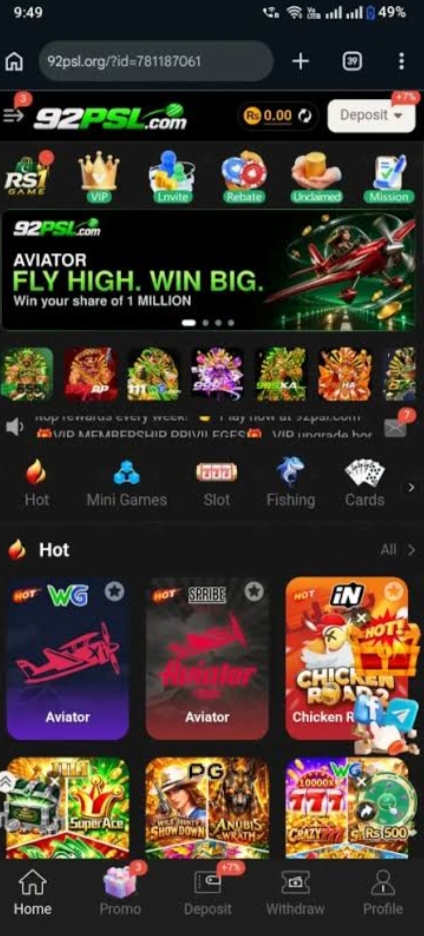
What You Need Before You Download 92 PSL APK
Before you start, check a few simple things. As a result, the process will go smoothly and you will save time.
Phone Requirements and Settings
First, make sure your phone runs a recent Android version. Next, keep at least 100 MB of free storage space. In addition, connect your phone to a strong Wi-Fi network. Then, charge your phone above 30 percent. Finally, you must allow installs from unknown sources. We will show you how to do this in the install section.
How to Download 92 PSL APK Step by Step
Downloading is easy. However, you should always choose a trusted website. Otherwise, you may get a fake or unsafe file.
Steps to Download the 92 PSL APK File
Follow these steps one by one:
- Open your phone browser, such as Chrome.
- Go to a trusted website and search for the 92 PSL APK page.
- Read the app details and check the version number.
- Tap the “Download” button on the page.
- Wait a few seconds while the file starts to download.
- If your phone shows a warning, tap “Download anyway.”
- Open your “Downloads” folder and find the APK file.
Now the file is on your phone. Next, you need to install it.
How to Install 92 PSL APK on Android
Installing an APK is a little different from using the Play Store. Still, the steps are short and clear.
Step 1: Turn On Unknown Sources
Android blocks outside apps by default. Therefore, you must turn on the permission first. Open “Settings” and tap “Security” or “Privacy.” After that, find “Install unknown apps.” Then, choose your browser or file manager and switch on “Allow from this source.”
Step 2: Install the App
Now follow these steps:
- Open the “Downloads” folder on your phone.
- Tap the 92 PSL APK file.
- Tap “Install” on the screen that appears.
- Wait until the installation finishes.
- Tap “Open” to start the app.
Afterward, you can turn off the unknown sources setting again. As a result, your phone stays safer.
How to Fix 92 PSL APK Install Errors
Sometimes the install does not work on the first try. Fortunately, most problems have easy fixes.
Common Problems and Simple Solutions
- App not installed: Delete the old version first. Then, install the new file again.
- Parse error: The file may be broken. So, download it again from a trusted site.
- Not enough storage: Remove old photos or apps. Then, try again.
- Blocked install: Turn on unknown sources in your settings.
- App keeps crashing: Restart your phone. In addition, clear the app cache in settings.
If none of these steps work, update your Android system. Moreover, you can try an older version of the 92 PSL APK.
How to Use 92 PSL APK
Using the app is simple. First, open it and allow any basic permissions it asks for. Then, check the home screen for live matches. Next, tap a match to see the score and details. Also, you can open the schedule to see upcoming games. Finally, turn on notifications if you want quick match alerts.
Because the design is easy, new users can learn it in a few minutes. Besides that, the app does not need a hard setup.
Safety Tips for 92 PSL APK
Safety matters when you install any APK. For this reason, follow these tips:
- Download only from trusted websites.
- Scan the file with a good antivirus app.
- Do not give extra permissions that the app does not need.
- Never share your passwords or bank details inside the app.
- Update the app only from a trusted source.
In addition, keep a backup of your important phone data. Therefore, you can recover it if something goes wrong.
Pros and Cons of 92 PSL APK
Every app has good and bad sides. Let us look at both.
Pros:
- Easy to download and install
- Simple design for all users
- Helpful for following PSL matches
- Light file that works on many phones
Cons:
- It does not come from the Play Store
- You must update it by hand
- Some versions may show ads
Overall, the benefits are good for cricket fans. However, you should still stay careful.
FAQs About 92 PSL APK
Is 92 PSL APK free?
Yes, most APK sites offer it for free. Still, always read the page for details.
Is 92 PSL APK safe?
It can be safe if you download it from a trusted source. Besides, scan the file before you install it.
Does it work on iPhone?
No. An APK file works only on Android phones.
How often should I update it?
Check for a new version every month. As a result, you get fixes and new features.
Conclusion
92 PSL APK Download To sum up, the 92 PSL APK is an easy way to follow PSL cricket on your Android phone. First, you check your phone and storage. Then, you download the file from a trusted site. After that, you turn on unknown sources and install the app. Finally, you open it and enjoy the matches. If an error appears, use the simple fixes in this guide. Most importantly, stay safe and download only from reliable websites. Now, try the steps and enjoy the next PSL season.
Download links
How to install 92 PSL APK Download for Android Mobile Users (Latest Version) APK?
1. Tap the downloaded 92 PSL APK Download for Android Mobile Users (Latest Version) APK file.
2. Touch install.
3. Follow the steps on the screen.