
Mostbet New Verson Download For Android Moible Users
tember 2026
56.80 MB
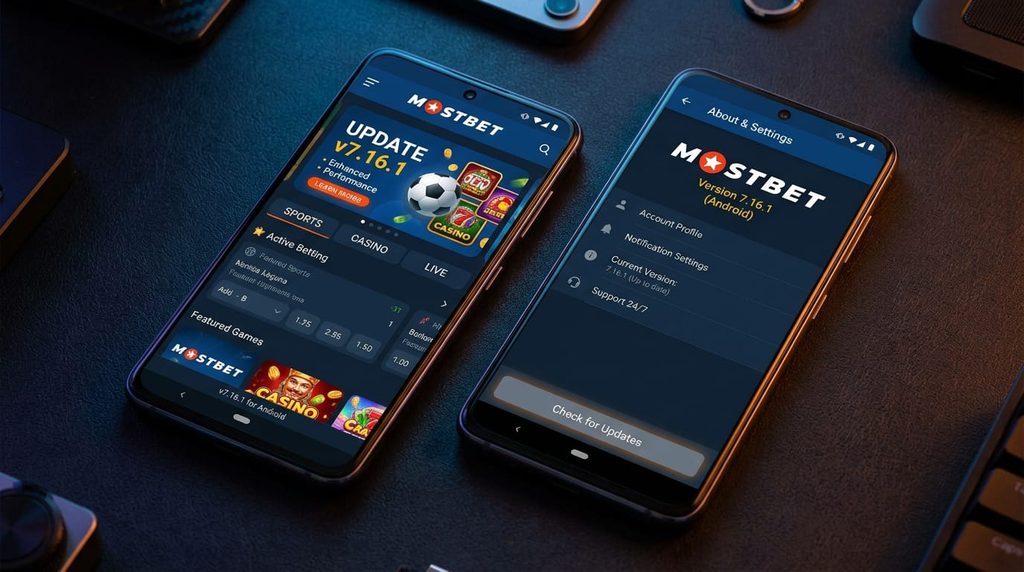
7.16.1
Quad-core 1.4 GHz or higher processor, 2 GB RAM or more, at least 100 MB free storage, 480 × 800 pixels or higher screen resolution, and a Wi-Fi, 3G, or 4G internet connection.
Description
Mostbet New Verson Download For Android Moible Users Mobile technology has changed how people use online funny services. Nowadays, many users prefer smartphones because they offer quick access, simple controls, and suitable browsing. Mostbet for Android provides a mobile option for users who want to explore reinforced features through their Android phones or tablets. The platform may include sports markets, casino entertaining, account settings, and other services, contingent on location and obtainability.
First, users should understand the application before downloading it. They should check device compatibility, appraisal installation orders, and learn about account security. In addition, they should understand the risks of online betting and check the laws in their country. These steps can help users make informed decisions and avoid common errors.
This guide explains the main structures of Mostbet for Android in simple English. It covers downloading, installation, registration, login, payment information, security, troubleshooting, and responsible use. Also, it answers common questions that new users may have before using a mobile betting stage.
However, suitability does not mean that betting is risk-free. Generous betting and casino games can lead to financial losses, and no application can guarantee winnings. Therefore, users should treat these services carefully, protect their personal information, and never spend money they need for essential expenses.

What Is Mostbet for Android?
Mostbet for Android is a mobile application option that allows users to access reinforced Mostbet services on compatible Android devices. Depending on regional availability, users may find sports betting markets, casino games, account management tools, and other entertaining features.
Unlike a desktop website, a mobile application is intended for use on a smaller screen. As a result, users can navigate menus, review account details, and explore available sections through touch controls. This arrangement may make the stage easier to access while travelling or relaxing at home.
Moreover, the application may offer a layout intended for mobile browsing. Users can move between maintained sections without needing a computer. However, the careful structures be contingent on the application version, account suitability, and local restrictions. Therefore, not every user will necessarily find the same services.
Before downloading Mostbet for Android, users should check whether online betting is legal in their location. They must also review the platform’s current terms, licensing information, and age requirements. Understanding these details is important because access to an application does not automatically make its services legal universally.
Main Features of Mostbet for Android
Mostbet for Android may provide several structures that help users pilot the platform. These features can vary by region and application version. Nevertheless, understanding the main functions can help readers know what to expect from a mobile betting service.
1. Simple Mobile Interface
A clear interface helps users find information without unnecessary effort. Mostbet for Android is designed for smartphone access, so its menus and controls aim to suit smaller screens. Users may find account settings, sports categories, entertaining sections, and other options through the main navigation menu.
In addition, touch controls allow users to open pages and move between sections with a few taps. This layout can make everyday navigation more suitable than glancing a wide desktop page on a phone.
However, a simple design does not remove the risks related with gambling. Users should appreciate the rules of each service before participating. They should also avoid making quick decisions simply because the application makes access easy.
2. Sports Betting Markets
Sports betting is one of the services associated with the Mostbet platform. Contingent on local availability, users may find markets related to football, cricket, tennis, basketball, and other sporting events.
Different matches can offer different betting options. For example, a football match may include markets for the final result or total goals. Similarly, a cricket match may include markets related to runs or other match proceedings.
Before seeing any market, users must read its account and appreciate the presented odds. Chances indicate the price offered for a particular outcome, but they do not guarantee a result. Even a team that appears stronger can lose because sports events contain doubt.
Therefore, users must never treat betting as a reliable way to earn money. Sports knowledge may help people know a match, but it cannot remove the option of financial loss.
3. Live Betting Information
Some versions of the platform may offer live betting during ongoing substantial events. In these markets, odds and available options can change as a match develops.
For instance, a goal in football or a wicket in cricket may affect the market. Similarly, injuries, player performance, and other match events can effect how a sporting event explains.
Because live markets change quickly, users must avoid making decisions under pressure. They should read the available information carefully and remember that mobile data may sometimes arrive with a delay.
Furthermore, live betting can encourage repeated decisions in a short period. This behaviour may increase financial risk, particularly when users try to recover earlier losses. Setting severe limits and stopping when those limits are reached can help reduce impulsive behaviour.
4. Casino Games and Entertainment
Depending on regional availability, Mostbet may provide access to digital casino games through its Android stage. These services may include slots, table games, and other forms of online entertainment.
Each game has its own orders, rules, and payment conditions. Therefore, users should know how a game works before spending money on it.
Moreover, casino games often rely deeply on chance. Previous results do not assurance future outcomes, and a sequence of losses does not mean that a win must happen next. Some games also include a mathematical advantage for the operator.
For these reasons, users should not view casino games as a dependable source of income. Anyone who chooses to use such services should consider the financial risks and follow the laws that apply in their location.
5. Account Management Tools
Account management tools help users review and maintain their account information. Contingent on the available version, Mostbet for Android may provide access to profile settings, transaction records, verification options, and other account structures.
For example, checking transaction history can help users review account activity. If a payment looks unfamiliar, they can examine it through the authorised support channel.
In addition, users should keep their contact details accurate whenever the stage requires verification. They should only provide personal information through a verified website or application.
If someone notices unusual account activity, they should change their password and contact official support. Taking action quickly may help protect the account from further unauthorized access.
6. Notifications and Application Updates
Some application versions may offer notifications about account activity, sporting events, or platform announcements. These alerts can provide useful information, although frequent notifications may also become off-putting.
Users should review their notification settings and disable alerts they do not need. This can help them manage screen time and avoid needless breaks.
Similarly, users should check for updates through the authorized download source. Updates may improve compatibility, fix technical problems, or address security weaknesses. However, users should avoid downloading update files from unidentified websites because those files may contain harmful software.
System Requirements for Mostbet for Android
Before installing Mostbet for Android, users should check whether their phones meet the current system requirements. Compatibility depends on the Android version, available storage, device performance, and the application’s latest release.
Android Version Compatibility
First, check the Android version installed on your phone. You can usually find this information under Settings and then About Phone or Software Information.
Next, compare your version with the requirements shown on the verified download page. If your device uses an unsupported version, the application may not install or function correctly.
Furthermore, install security updates whenever your device builder provides them. An updated operating system may improve compatibility and protect your phone in contradiction of known security issues.
Available Storage Space
The installation process needs enough free storage to save and install the application. In addition, the application may need extra space for temporary files and future updates.
Therefore, review your available storage before downloading the installation package. If necessary, remove files you no longer need or uninstall idle applications.
However, always protect important documents and photographs before deleting anything. Creating a backup can help prevent unintentional data loss.
Internet Connection
A reliable internet connection helps the application load pages and retrieve current information. Contingent on your network, Wi-Fi or mobile data may support the service.
If the connection is weak, pages may load slowly or fail to open. In that case, check your signal strength and try another reliable network.
Additionally, review your mobile data allowance. Recurrent browsing and video happy may use more data than simple account steering. A stable connection can improve the experience, but it cannot resolve every technical problem.
Device Performance
Older phones may fight with applications that require more memory or processing power. Closing unnecessary background apps can sometimes improve presentation.
Likewise, restarting the phone may resolve temporary software issues. However, persistent problems may indicate an outdated operating system or an unsupported application version.
Users should check compatibility before installing a new application on an older device.
How to Download Mostbet for Android
Downloading an Android application requires care, particularly when the designer provides an APK file outside the Google Play Store. APK files allow direct installation, but files from unverified sources can create security risks.
Therefore, users should follow the steps below only when the service is lawful in their location and they meet the applicable age supplies.
Step 1: Visit the Verified Website
Open your mobile browser and locate the platform’s verified website. Check the domain carefully before downloading a file or entering personal information.
Avoid suspicious advertisements, copied websites, and links that promise certain winnings. A website may look professional without being genuine.
Furthermore, do not trust strangers who offer special download links through messaging applications. Instead, verify the source self-sufficiently and use official information whenever possible.
Step 2: Find the Android Download Page
Look for the Android application or mobile download section on the verified website. Read the instructions and check the version information before happening.
If the website does not explain where the file comes from, do not continue. You must also confirm that the application supports your device and is available in your location.
Taking a few moments to check these details may help you avoid unofficial or adapted files.
Step 3: Download the Installation File
If the authorised source provides an APK file and its use is lawful in your location, follow the official download orders.
Wait until the download finishes before opening the file. If your browser reports an incomplete download, do not install the damaged file.
Instead, remove it and check the connection or source before trying again. Never download a replacement from a random website simply because it offers a earlier download.
Step 4: Review Android Security Warnings
Android may display a warning when you effort to install an application from outside the Play Store. This warning helps remind users that outside files may not have the same level of verification.
Review the file’s source carefully before deciding what to do. Only consider happening when you have verified the source and understand the risks.
If Android classifies a security concern, do not bypass the warning without examining it. Protecting your phone is more important than installing an application quickly.
Step 5: Complete the Installation
If you decide to proceed with a verified and lawful APK, open the downloaded file and follow the instructions showed by Android.
Wait for the installation to finish. If the phone blocks the file or reports a security problem, stop and investigate the reason.
Once installation is complete, check the application’s name and border. If anything looks suspicious, remove the application and seek leadership from a verified support source.
Step 6: Check the Application Before Login
Before entering your account details, confirm that you installed the envisioned application from an authorised source.
Avoid modified versions that advertise special advantages, unrestricted access, or guaranteed results. These entitlements may be misleading and could indicate a security risk.
Finally, remember that a successful installation does not prove that the service is legal in your location. Check local supplies before using any betting structures.
How to Install Mostbet for Android Safely
Safe installation involves more than downloading the correct file. Users should also comprehend Android permissions, device security, and the risks associated with unofficial software.
Understand Installation Permissions
Android may ask for permission to install applications from a particular source, such as a browser or file manager.
If you choose to install a verified APK, review the permission request carefully. Android versions often allow users to control this permission for individual sources.
After completing the installation, turn off the permission again if you no longer need it. This can reduce the chance of accidentally installing another untrusted application later.
Avoid Modified APK Files
Modified APK files may promise extra features, free credits, or unrestricted access. However, such claims do not prove that the software is safe or genuine.
An unofficial file may contain malware, collect private information, or interfere with account functions. It may also expose your login details to another person.
Therefore, avoid adapted applications, unofficial hacks, and files advertised as guaranteed-win tools. Use only a source that you can verify.
Use Android Security Features
Keep available device security features enabled. Google Play Protect can help classify certain harmful applications, although no security tool detects every threat.
In addition, install operating system updates when they become available for your device.
If your phone displays a warning about a downloaded file, take it extremely. Do not disable important security protections merely to complete an installation.
How to Register on Mostbet for Android
Registration procedures may differ by country and application version. However, online platforms generally require users to provide account details and complete certain verification steps.
Step 1: Check Your Eligibility
Before registration, check the legal requirements in your location. You must meet the applicable minimum age, and you should not use the service where local law bans it.
Never attempt to bypass age limits, location limits, or identity checks.
Step 2: Open the Registration Page
If you meet the requirements and the service is lawful where you live, open the verified application or website.
Find the registration option and read the orders carefully. Make sure that you are using the genuine service rather than a copied website.
Step 3: Enter Accurate Information
The registration process may request details such as a phone number, email address, or other personal information.
Provide accurate details when required. Improper information may cause verification problems or restrict access to your account.
Furthermore, never use another person’s identity or contact information without permission. Protect your personal details and submit them only through an authorized channel.
Step 4: Review the Terms and Conditions
Before completing registration, read the stage’s terms and privacy policy. Pay attention to account verification, transaction rules, withdrawal conditions, fees, and promotional limits.
If a condition seems unclear, contact the authorised support team for an explanation before accepting it.
Understanding these terms can help you avoid confusion later.
Step 5: Complete Verification
Some platforms require a verification code or identity documents. Follow the official process and provide only the information that the service legally requires.
Never share your password or private verification code with strangers through social media or messaging applications.
After registration, create a strong, unique password and enable additional security features if they are available.
How to Log In to Mostbet for Android
Existing users may be able to access their accounts through the well-matched Android application. They generally do not need to create a new account if their current account remains valid and supported.
First, open the application and select the login option. Then enter the correct account details in the required fields.
If the stage requests an additional verification code, follow the official instructions. After logging in, review your account details and check for unexpected activity.
What to Do if You Forget Your Password
If you forget your password, use the official account recovery option. Follow the orders and complete any required verification steps.
Choose a new password that you do not use on other websites. Reusing passwords can increase security risks because a breach on another service may affect your account.
Moreover, avoid storing passwords in unprotected notes or sharing them with friends. If the recovery process fails, contact verified support in its place of paying an unknown person to recover your account.
Deposits and Withdrawals: What Users Should Know
Depending on the platform and location, users may find payment features for deposits and withdrawals. However, payment methods, supported currencies, fees, and processing times can vary.
Therefore, review the current payment rules before making a transaction.
Check Available Payment Methods
Open the authorised payment section and review the methods available for your account.
Do not assume that a payment method reinforced in one country will also work in another. Payment providers may apply their own conditions, restrictions, or charges.
Use payment methods that legally belong to you. Never share your banking password or private security codes with another person.
Understand Deposit Conditions
A deposit transfers money into an account. Before making one, check the minimum amount, transaction limits, fees, and other relevant conditions.
Only consider spending money that you can afford to lose without affecting vital expenses.
For example, rent, food, education, transport, medical costs, and household bills should always come before betting or casino entertaining. Do not borrow money to gamble.
Understand Withdrawal Conditions
Before using a platform, review its withdrawal rules. These may include identity checks, payment verification, minimum amounts, dispensation times, and other restrictions.
If a withdrawal takes longer than expected, check the official transaction information and contact the authorised support team.
Never pay an unknown person who promises to release funds immediately. Such requests may be fraudulent.
Most importantly, a deposit does not guarantee a withdrawal of the same amount or a financial profit.
Bonuses and Promotional Offers
Mostbet may display promotional offers from time to time, contingent on the user’s location and account eligibility. However, offers and their conditions can change.
Users should read the complete terms before accepting any promotion.
Understand Wagering Requirements
Some bonuses include wagering supplies. These explain how much qualifying activity may be required before certain bonus funds or winnings become eligible for withdrawal.
The calculation can vary between offers. Therefore, read the specific conditions instead of relying only on a headline percentage.
Check Expiry Dates
A promotion may expire after a specific period. It may also include limits on eligible games, markets, or payment methods.
As a result, users should check the expiry date and all restrictions before accepting the offer.
Avoid Unrealistic Promises
Promotional messages may use phrases such as free money, easy rewards, or guaranteed wins. These rights should never replace careful interpretation of the terms.
A bonus does not remove the possibility of losing money. In addition, promotional conditions may affect how and when certain funds can be withdrawn.
For this reason, never deposit money simply because an offer appears attractive.
Mostbet for Android: Account Security and Privacy
Account security matters whenever an application handles personal information or financial transactions. Though a stage may offer security features, users must also defend their own devices and login details.
Create a Strong Password
Choose a password that is difficult to guess. Use a sole combination of letters, numbers, and other supported characters.
Avoid obvious choices such as your name, date of birth, or a simple number order.
Furthermore, do not reuse the same password for email, banking, and betting accounts. A unique password can help reduce the impact of a safety problem on another service.
Protect Verification Codes
Verification codes help settle that a person controls an account or contact method.
Never share these codes with strangers. Legitimate support staff should not need your password or a code intended for private login.
If someone contacts you unexpectedly and asks for a verification code, treat the request as suspicious.
Use Trusted Networks
Public Wi-Fi networks can create privacy risks, especially when users cannot verify how the network is managed.
Whenever possible, use a trusted connection and keep your phone’s security software updated.
Additionally, avoid logging in finished links sent by unknown people. Instead, open the verified website or application directly.
Review Application Permissions
An application may request access to announcements, files, or other device functions.
Check whether each permission is necessary. If a request seems unrelated to the application’s normal purpose, investigate before granting access.
Likewise, review the privacy policy to appreciate how the service collects, uses, and protects personal information.
Protect Your Phone
Use a screen lock, install operating system updates, and avoid applications from untrusted sources.
If you lose your phone, use the available device security tools. You should also change important account passwords from a trusted device when necessary.
These basic steps can help reduce common security risks.
Common Problems With Mostbet for Android
Users may experience technical issues during installation, login, or normal operation. Fortunately, a few basic checks can help classify the cause.
The APK Will Not Install
An installation failure may result from an incomplete download, insufficient storage, an mismatched Android version, or a security limit.
First, check your available storage and confirm that the file downloaded completely.
Next, review the application’s official system requirements. If the file comes from an unverified source, delete it rather than forcing the installation.
The Application Will Not Open
If the application closes immediately, restart your phone and check whether an authorised update is available.
You can also review the application settings and clear the cache if Android provides that option.
However, avoid deleting application data unless you appreciate the consequences. This action may sign you out or remove locally stored information.
Login Does Not Work
Login problems may result from incorrect details, a forgotten password, a temporary service issue, or an additional verification requirement.
Check your entries carefully and use the official password recovery process if essential.
If the issue continues, contact verified customer support. Never share your password with someone who offers unofficial help.
Pages Load Slowly
A weak internet connection can prevent pages and account information from loading correctly.
Try switching between reliable Wi-Fi and mobile data. You can also close needless background applications and restart your device.
If other websites work normally but the application still nose-dives, the problem may include the stage itself.
The Application Cannot Update
An update problem may result from an incomplete file, limited storage, an mismatched release, or a battle with the existing installation.
Before removing the application, make sure you understand how to recover your account and access any information you need.
Then follow the authorised update orders. Avoid older or adapted versions that may lack important security fixes.
A Payment Does Not Appear
First, review the transaction status in your account or through the relevant payment provider.
Check whether the payment is pending, declined, or completed. Processing times can vary according to the payment method and verification requirements.
If the issue remains unresolved, contact the authorised support team with the relevant transaction reference. Do not publish passwords, banking information, or other sensitive details.
Mostbet for Android vs. the Mobile Website
Users may have a choice between an installed application and a mobile website. Both options can provide access to supported services, but their differences depend on the stage and device.
Benefits of the Android Application
An installed application may offer a dedicated interface, suitable access from the home screen, and support for certain device features.
However, it requires installation and may need physical updates if the developer distributes it outside an app store.
Users should also consider the security risks related with installing APK files. A verified source is essential.
Benefits of the Mobile Website
A mobile website opens through a browser, so users may not need to install additional software.
This option can be useful when storage is limited or when someone wants to check whether the service works on their device.
Nevertheless, some features may differ from those available in an application. Performance can also depend on the browser, connection, and device.
Which Option Should You Choose?
The right option depends on your needs, device, and legal eligibility.
If you prefer not to install an external APK, a browser may be more convenient when the verified website offers lawful access in your location.
On the other hand, an authorised application may provide a dedicated interface for supported tasks.
In either case, verify the source, protect your login details, and avoid services that violate local laws.
Benefits and Limitations of Mostbet for Android
A balanced review should consider convenience alongside potential risks. Although a mobile application may simplify navigation, it does not remove the limitations of online betting.
Potential Benefits
Mostbet for Android may offer several practical advantages:
- Mobile access to supported account features.
- An interface designed for smaller screens.
- Convenient navigation between available stage sections.
- Access to account information without a desktop computer.
- A central place to review settings and transaction records.
These benefits relate mainly to convenience. They do not mean that betting becomes financially safe or that users will win money.
Potential Limitations
Users should also consider the following limitations:
- Some features may not be available in every country.
- External APK installation can create security risks.
- Older devices may have compatibility problems.
- Many functions require an internet connection.
- Promotional offers may include complicated conditions.
- Betting and casino games can lead to financial losses.
Therefore, users must consider these points before deciding whether the platform suits their circumstances.
Responsible Use of Mostbet for Android
Responsible use means sympathetic financial risks and setting clear personal limits. This is especially important when a mobile application offers quick access to betting or casino games.
Set a Spending Limit
Decide how much money you can afford to lose before starting. Never use money intended for essential living costs, savings, education, or family responsibilities.
Once you reach your limit, stop. Do not increase it because you want to recover earlier losses.
Set a Time Limit
Mobile access can make it easy to spend more time than planned.
Therefore, decide how long you will use an performing application. Take regular breaks and avoid letting online activity interfere with sleep, work, study, or relationships.
Never Chase Losses
Chasing losses means continuing to gamble because you want to recover money that you have already lost.
This behaviour can increase financial harm. Previous losses do not assurance that a future bet will succeed.
Instead, stop when you reach your limit and accept that betting outcomes remain uncertain.
Do Not Treat Betting as Income
Sports knowledge and careful research cannot remove uncertainty from betting.
Similarly, no casino strategy can guarantee a profit. Anyone who claims to have a guaranteed winning method should be preserved with caution.
Use gambling services only when they are lawful and suitable for your circumstances. If gambling causes stress, debt, or conflict, stop and seek appropriate support.
Follow Age and Legal Restrictions
Only adults who meet the applicable legal requirements should consider using gambling services.
Never help a minor create an account or bypass identity checks. Also, do not use location-changing tools to avoid legal limits.
If you are unsure about local rules, seek reliable legal information before proceeding.
Frequently Asked Questions About Mostbet for Android
1. What Is Mostbet for Android?
Mostbet for Android is a mobile option for accessing supported Mostbet services on compatible Android devices. Available features be contingent on the application version, location, and account eligibility.
2. Is Mostbet for Android Free to Download?
The application may be free to download through an authorised source. However, free installation does not mean that betting, casino games, or other paid activities are free.
Always check the applicable costs and terms.
3. Can I Download Mostbet for Android From Google Play?
Availability may vary by location and application version. If the application does not appear in Google Play, check the verified official website for current information.
Do not assume that an APK found on another website is genuine.
4. Is an APK File Safe?
An APK is an Android installation package. Its safety be contingent on the file, its source, and the permissions it requests.
An unofficial APK may contain harmful software. Therefore, verify the source and take Android security warnings seriously.
5. What Should I Do if Installation Fails?
Check the downloaded file, available storage, Android version, and official compatibility requirements.
If Android reports a security problem, investigate it in its place of automatically disabling security protections.
6. Can I Use My Existing Account?
If the platform supports your account and location, you may be able to sign in with your existing credentials.
Follow the official login process and complete any required verification.
7. Why Is the Application Running Slowly?
A weak internet connection, limited storage, an older device, or an outdated application may affect performance.
Try basic troubleshooting steps, such as restarting the phone and checking for authorized updates.
8. Are Bonuses Guaranteed?
No promotional offer guarantees a financial profit. Bonuses may include wagering requirements, expiry dates, and other restrictions.
Read the complete terms before accepting an offer.
9. Can I Recover a Forgotten Password?
Use the official account recovery option and follow the verification instructions.
Never give your password or verification code to an unidentified person.
10. Is Online Betting Legal Everywhere?
No. Laws differ between countries and regions, and limits may apply to specific services.
Check the current law in your location before using a betting stage.
11. Can I Use Mostbet for Android on an Older Phone?
Compatibility depends on the Android version, hardware, storage, and the application’s current requirements.
Check the official stipulations before downloading the application.
12. Can Betting Provide a Reliable Income?
No betting method can guarantee income. Outcomes remain indeterminate, and users can lose money.
Never be contingent on betting to pay essential bills or solve financial problems.
Conclusion
Mostbet New Verson Download For Android Moible Users provides a mobile option for accessing reinforced platform features through compatible Android devices. Depending on availability, users may find sports markets, casino entertaining, account management, and other functions within the mobile interface.
However, downloading and installing an application requires careful attention. Users should verify the source, check device compatibility, review permissions, and protect their account details. They should also appreciate the stage’s terms and payment conditions before sharing personal information or making transactions.
Furthermore, the legality of online betting varies by location. Users must check local requirements and follow applicable age restrictions before accessing gambling services.
Finally, convenience should never replace caution. Betting and casino games involve financial risks, and neither an application nor a promotional offer can guarantee winnings. Set firm limits, protect money needed for essential expenses, and stop if gambling affects your wellbeing.
By thoughtful these points, readers can make informed decisions about mobile applications, online security, and responsible digital performing.
Download links
How to install Mostbet New Verson Download For Android Moible Users APK?
1. Tap the downloaded Mostbet New Verson Download For Android Moible Users APK file.
2. Touch install.
3. Follow the steps on the screen.