
Zero Injector Download Apk New version For Android Mobile users
September 29, 2025 (APKPure)
37.5 MB (APKPure listing)
1.17
Android 5.0 or higher
Description
Zero Injector Download Apk New version For Android Mobile users is an Android application intended for gamers who enjoy exploring different character skins and graphic styles. It provides skin-related customization options for reinforced mobile games. Therefore, players who want to change the arrival of their favorite characters may find this application interesting.
Today, many mobile gamers enjoy initialing their gaming experience. They like trying different outfits, exploring new character designs, and choosing good-looking visual styles. Similarly, ZERO Injector APK focuses on giving users access to skin-related structures through a mobile application.
Version 1.17 appears on the Softonic download page. The application is related with the developer TEKDEV. However, users should check the available version information before downloading because third-party websites may display different details.
Also, users should understand that a skin customization tool does not automatically improve gaming skills. Instead, it focuses on the visual experience. Its features may also depend on the reinforced game, device compatibility, and application version.
This article explains ZERO Injector APK, its main structures, Android requirements, installation process, advantages, disadvantages, and safety thoughts. As a result, readers can understand the application before deciding whether it suits their needs.
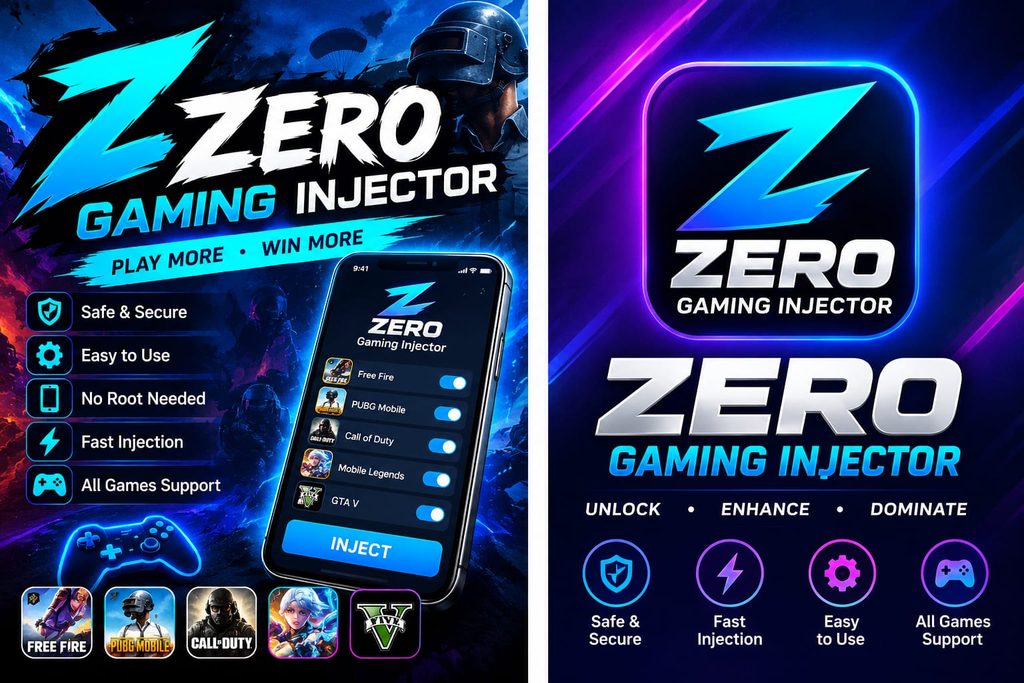
What Is ZERO Injector APK?
ZERO Injector APK is a third-party Android application that focuses on MOD SKIN options for supported mobile games. It aims to help users explore different character arrivals and visual customization choices.
For example, some players prefer colorful character designs, while others enjoy exploring alternative clothes and styles. ZERO Injector APK may provide options for users who want to discover these visual changes.
Moreover, the application brings skin-related features together in one place. This approach can make it easier for users to browse available options instead of searching through different sources.
However, the application does not assurance that every skin will work with every game. Compatibility can change when a game receives a new update. So, users should check the reinforced game version before trying any feature.
It is also important to remember that ZERO Injector APK is not an official product of the game publishers it may support. Consequently, users should review the relevant game policies before using third-party customization tools.
ZERO Injector APK Version 1.17 Details
Before downloading ZERO Injector APK, users should review its basic technical information. These details help them understand the application and check whether it may suit their Android devices.
- Application Name: ZERO Injector
- Version: 1.17
- Developer: TEKDEV
- Application Type: Gaming customization tool
- Main Purpose: MOD SKIN and visual customization
- Price: Listed as free
- Platform: Android
- Minimum Android Version: Android 5.0 or later, according to Uptodown
- File Size: Check the selected download listing because package sizes can differ
- Softonic Update Date: October 3, 2025
- Uptodown Listing Date: February 5, 2026
These details come from third-party software listings, including Softonic and Uptodown. However, the date shown on a website may denote to its listing activity rather than the developer’s official release date.
Similarly, the file size may vary depending on the package format and distribution source. Therefore, users should confirm the exact size before downloading the APK file.
Main Features of ZERO Injector APK
ZERO Injector APK focuses on visual customization and skin-related options. Its features may interest players who want to travel different arrivals in supported games.
1. MOD SKIN Customization
One of the main holds of ZERO Injector APK is its focus on MOD SKIN options. These options allow users to explore different visual arrivals where the application and game support them.
For instance, a player may prefer a different character style to make the gaming experience feel more personal. Another player may simply enjoy browsing different projects before selecting a favorite.
Furthermore, visual customization can make a game feel fresh for players who devote a lot of time with the same characters.
However, skin availability can vary between versions. Therefore, users must not assume that every advertised project will work on their devices.
2. Easy-to-Understand Interface
A clear border helps users understand an application more easily. ZERO Injector APK aims to provide access to its skin-related options through a mobile border.
As a result, beginners may find it easier to explore the available features. They can review the options and learn how the application works before trying any supported customization.
In addition, a candid layout can reduce confusion when users navigate different menus.
However, the exact interface may change with future updates. So, users should follow the orders that match their installed version.
3. Convenient Skin Selection
ZERO Injector APK brings skin-related options together in one place. This arrangement may help users browse available designs more appropriately.
For example, players can travel the available options and check whether a particular skin matches their favorites. Moreover, the application may provide orders for applying reinforced visual changes.
Nevertheless, not every option will basically work with every game version. Users should check compatibility and avoid following instructions from indefinite sources.
4. Android Device Support
ZERO Injector APK targets Android devices, making it relevant to users who enjoy mobile gaming.
According to Put-down, version 1.17 supports Android 5.0 or later. However, the minimum operating system condition does not promise that the application will run smoothly on every device.
Device memory, available storage, hardware performance, and software compatibility can all affect the experience. So, users should check their device stipulations before installing the application.
5. Free Application Access
Another point of interest is its registered free price. Users can explore the application’s available features without paying an upfront purchase price, according to the third-party listings.
However, free admission does not guarantee that every feature will always remain available. In addition, users should check whether the app includes advertisements, optional purchases, or additional consent requests.
6. Skin-Related Gaming Experience
ZERO Injector APK focuses on the graphic side of mobile gaming. This feature may appeal to players who enjoy experimenting with different character appearances.
For example, a new visual style can make familiar characters look different. Similarly, exploring available designs can add variety to a player’s personal experience.
However, visual changes do not automatically increase a character’s strength or improve the player’s actual skills. Therefore, users should treat skin customization as a visual feature rather than a gameplay advantage.
How Does ZERO Injector APK Work?
ZERO Injector APK aims to provide access to skin-related customization structures for compatible games. The exact process depends on the application version and the supported game.
First, users should check whether the application supports their future game. Next, they should review the available features and read the instructions provided by the application.
After that, users can explore the supported customization options. However, they should avoid making changes if the orders appear unclear or require risky access to their device.
Furthermore, game developers regularly update their software. These updates may change files, security systems, or compatibility supplies. Consequently, a skin that worked previously may stop working after an update.
Users should also remember that some games prohibit third-party alteration tools. Therefore, they must review the official game policies before using ZERO Injector APK.
How to Download ZERO Injector APK for Android
Users who want to learn more about ZERO Injector APK can begin by reviewing a trustworthy software listing.
The Softonic page provides information about the application and its registered version.
Download information: Visit ZERO Injector APK on Softonic
Before downloading, follow these steps:
- Open the software listing and check the application name.
- Review the version number and available technical details.
- Check the file size and package format.
- Read the available security information.
- Review the requested permissions and developer details.
- Avoid doubtful download buttons and unrelated installation files.
Furthermore, do not download an APK simply because a website describes it as the latest version. In its place, compare the available information and check whether the file comes from a dependable source.
If you cannot verify the package, avoid installing it. Your device security and personal information must always come first.
How to Install ZERO Injector APK
The installation process depends on the package format and your Android device.
For a standard APK file, users generally open the downloaded file through their device’s file manager. Android then displays an installation prompt if the file and device settings allow it.
Follow these general steps:
- Download the APK from a source you trust.
- Open your device’s file manager.
- Find the downloaded file.
- Review the Android security warning.
- Continue only if you have verified the source and understand the risks.
- Review the app permissions before using its features.
Android may limit installations from unidentified sources. Do not ignore security notices or disable protections without a clear reason.
Moreover, some websites distribute XAPK files instead of standard APK packages. These files may require a well-matched installer and may contain additional components.
After installation, check the application’s behavior. If it requests unnecessary access, displays doubtful activity, or causes device problems, stop using it and remove it if suitable.
Advantages of ZERO Injector APK
ZERO Injector APK may offer several benefits to users who enjoy travelling visual customization options.
Different Visual Styles
The application focuses on skin-related features, which may help users explore alternative character appearances in supported games.
Convenient Browsing
Users can travel available options within one application. So, they may find it easier to review the customization features that interest them.
Android Compatibility
The application targets Android devices, which makes it relevant to mobile gamers.
Free Listed Price
Third-party listings describe the application as free to access. Consequently, users may explore its available features without an upfront purchase.
More Personalization
Some players enjoy changing character arrivals because it gives them more control over their visual gaming experience. ZERO Injector APK focuses on this type of customization.
However, these benefits be contingent on the actual structures available in the downloaded version. Users should verify compatibility before expecting a particular result.
Disadvantages of ZERO Injector APK
Although ZERO Injector APK may interest some players, it also has limitations.
1. Game Compatibility Issues
A skin may not work with every game version or Android device. So, users may experience errors, missing visual elements, or unsuccessful customization attempts.
2. Possible Account Restrictions
Some game publishers forbid third-party modification tools. Using such tools may violate their rules and could result in account restrictions or suspension.
For this reason, users should check the official footholds before installing or using the application with a game account.
3. Security Risks
Third-party APK files may contain unwelcome software or request unnecessary permissions. Moreover, a modified package may not contain the same files as the original application.
Therefore, users should review the source, scan the file with a trustworthy security tool, and check consents carefully.
4. Limited Official Support
ZERO Injector APK is a third-party tool rather than an official product of the game publishers it may support. Consequently, official game support teams may not help users resolve problems caused by illegal modifications.
5. Uncertain Feature Availability
Application features can change between versions. Similarly, game updates may affect the way external customization tools work.
As a result, users should avoid presumptuous that every nose described on an older website remains available.
Is ZERO Injector APK Safe to Use?
The safety of ZERO Injector APK depends on the specific package, its source, the permissions it requests, and the way users employ it.
First, check the designer information and available security details. Next, review the agreements before allowing the application to access your device.
Furthermore, avoid unidentified websites that offer suspicious files or ask for unnecessary personal information. If a download page makes unrealistic promises, treat those claims with caution.
A security scan can help identify sure threats, but it cannot guarantee complete safety. Similarly, a familiar application name does not prove that every package carrying that name is genuine.
Users should also reflect their gaming accounts. If a game prohibits third-party modification tools, using one may create a risk even when the application does not appear harmful to the device.
Therefore, official game customization options generally provide a safer alternative.
Tips for Using ZERO Injector APK Responsibly
Users should take a few defenses before trying any third-party gaming tool.
First, verify the application source and version. Next, check the file size, package format, and demanded permissions.
In addition, keep your Android device updated and maintain enough free storage. These steps can help your device run easily, although they cannot guarantee compatibility with every application.
Users should also avoid sharing account passwords or other sensitive information with third-party tools. If an application needs information that does not match its purpose, do not provide it.
Moreover, check the game’s rules before applying any external modification. If the publisher prohibits such tools, choose an official customization feature instead.
Finally, uninstall the application if it causes unexpected behavior or raises security concerns. Protecting your device and gaming account is more important than trying an optional skin.
ZERO Injector APK Compared With Official Customization Features
Third-party customization applications and official in-game features can offer different experiences.
Official customization features usually provide a stronger support path because the game developer controls them. They may also work more reliably after game updates.
In comparison, ZERO Injector APK focuses on third-party skin-related options. Its compatibility and reliability may depend on factors outside the user’s control.
Official features may offer fewer choices in some cases. Nevertheless, they generally reduce the need to install an external package and may lower the risks associated with unauthorized modifications.
Therefore, players must compare suitability, available options, security, and account rules before choosing a customization method.
Frequently Asked Questions About ZERO Injector APK
1. What is ZERO Injector APK?
ZERO Injector APK is a third-party Android application that focuses on MOD SKIN and optical customization options for reinforced mobile games.
2. Which version does this article cover?
This article covers ZERO Injector version 1.17. Users must checkered the software listing to confirm whether the designer or supplier has released another version.
3. Is ZERO Injector APK free?
Third-party download listings describe the application as free. However, users must check the selected item for any additional conditions.
4. Which Android version does ZERO Injector APK support?
Uptodown lists Android 5.0 or later for version 1.17. However, actual performance and compatibility may depend on the device and reinforced game.
5. What is the file size of ZERO Injector APK?
The exact size may differ between websites and package formats. So, check the file details on the download page before installing it.
6. Can ZERO Injector APK improve gaming performance?
Its main purpose is graphic customization rather than performance improvement. Changing a character’s appearance does not automatically increase gaming skills or guarantee better results.
7. Is ZERO Injector APK an official gaming application?
No. It is a third-party application and must not be confused with an official product from the publishers of the games it may support.
8. Can ZERO Injector APK put my gaming account at risk?
Yes, it may create a risk if the game publisher prohibits third-party modification tools. Review the game’s official rules before using the application.
9. Why might ZERO Injector APK stop working?
Compatibility changes, game updates, device limitations, and application changes may affect its features. Users should verify compatibility before troubleshooting.
10. Where can I find ZERO Injector APK?
You can review the available application details on the Softonic ZERO Injector page. Verify the source and package information before downloading.
11. Should beginners use ZERO Injector APK?
Beginners should first appreciate the application’s purpose, permissions, and possible risks. If they cannot verify the package or understand its installation supplies, they should avoid installing it.
12. Does ZERO Injector APK work on every Android device?
No. Device stipulations, Android versions, and game compatibility may affect how the application works. Meeting the minimum operating system obligation does not guarantee that every feature will function.
Conclusion
Zero Injector Download Apk New version For Android Mobile users for Android v1.17 is a third-party gaming customization application associated with TEKDEV. It focuses on MOD SKIN options and visual structures for steel-clad mobile games.
The application may interest players who enjoy travelling different character arrivals. In addition, its Android support and listed free price may inspire users to learn more about its available features.
However, users must consider its limitations before downloading it. Compatibility may vary, security be contingent on the real package, and some game producers limit third-party modification tools.
Therefore, check the version details, file size, permissions, and download source carefully. Also, review the official rules of the game you want to modify.
Overall, ZERO Injector APK may appeal to users interested in visual customization, but device security and account safety should always come first.
Download links
How to install Zero Injector Download Apk New version For Android Mobile users APK?
1. Tap the downloaded Zero Injector Download Apk New version For Android Mobile users APK file.
2. Touch install.
3. Follow the steps on the screen.